Showing posts with label free internet reseach tools. Show all posts

Tuesday, November 4, 2008

How to Get More Traffic from Twitter


2 minute setup and no more work...from Super Affiliate Rosalind Gardner.

I'm going to let you in on a little secret about how you can get more traffic to your blogs from Twitter - even if, like me, you barely tweet at all.

Best of all, once you've spent a couple minutes to set things up, there's no more effort required on your part.

What's the secret?

Twitterfeed!

What is Twitterfeed and how does it work?

Twitterfeed takes RSS and Atom feeds and republishes them on your Twitter timeline. You choose how often you want the sytem to check your blog feeds and republish a your post(s) from once every 30 minutes to once every 24 hours. Up to 5 posts at a time can be sent to Twitter. Note also that your posts need to contain a publish date so Twitterfeed will know which posts are new.

You are given the option of posting just the title of the post or the title and truncated description to Twitter. You can also prefix each of your tweets from Twitterfeed with something like 'My latest post: ' or 'New on YourSiteName: '.

I however would suggest that you avoid using the prefix, especially if you have a tendency to write long blog post titles which will get truncated if the prefix is too long.

You will also want to make sure that you check the 'Include item link' box, otherwise Twitterfeed will send the tweet without a link back to your post. You have choices as to which service Twitterfeed will use to shorten the link including;

  • TinyUrl
  • TweetBurner
  • SnipURL
  • bit.ly
  • is.gd
  • URLshot

Tweets don't have to come just from your blog feed.

For example, I set up a Twitter feed that tweets whenever I post a new article to the article directory here on NetProfitsToday, as the ArticleLive content management system that I use supplies feed URLs for each category and sub-category.

Open a Twitterfeed Account

To get started, go to Twitterfeed.com. You will have to supply your Twitter username and password so the system can post your blog updates to your twitter account.

Twitterfeed supports OpenID, a service that eliminates the need for multiple usernames across different websites. You probably already have an OpenID if you use services such as Flickr, Yahoo! or Wordpress.com.

So... check out Twitterfeed and enjoy the extra traffic! :-)

Read more on Rosalind and her book below.
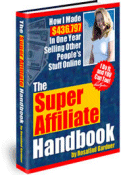

SuperAffiliateHandbookRead the amazing true story of how one woman, with no previous business experience, earned $436,797+ in 2002 and now earns MUCH MORE than that ... just by selling other people's stuff online!


In her down-to-earth, sincere and often humorous style, Rosalind Gardner guides you through the entire process of building an affiliate marketing business on the 'Net.


Frequently revised and updated to reflect industry changes, the Super Affiliate Handbook now consists of 236 pages and 124 screenshots that will show you step-by-step how to become a Super Affiliate. You'll learn how to pick the best affiliate programs, negotiate a commission raise and save time, money and effort on everything from affiliate software to web hosting

.


Monday, November 3, 2008

Friday, October 10, 2008

Seth Godin's Simply Quiz for Us (the knowledge workers)

I wanted to share this from Seth Godin...Do YOU know how to do the following??

The growing productivity divide

Here's a simple quiz:

  • Can you capture something you see on your screen and paste it into Word or PowerPoint?
  • Do you have a blog?
  • Can you open a link you get in an email message?
  • Do you read more than five blogs a day?
  • Do you have a signature in your outbound email?
  • Do you have an RSS reader?
  • Can you generate a PDF document from a Word file you're working on?
  • Do you know how to build and share a simple spreadsheet using Google Docs?
  • Do have a shortcut for sending mail to the six co-workers you usually write to?
  • Are you able to find what you're looking for on Google most of the time?
  • Do you know how to download a file from the internet?
  • Do you back up your work?
  • Do you keep track of contacts using a digital tool?
  • Do you use anti-virus software?
  • Do you fall for internet hoaxes and forward stuff to friends and then regret it?
  • Have you ever bought something from a piece of spam?

Can you imagine someone who works in a factory that processes metal not knowing how to use a blowtorch? How can you imagine yourself as a highly-paid knowledge worker and not know how to do these things... If you don't, it's not hard to find someone to teach you.


Tuesday, September 23, 2008

9 Free Market Research Sites and Services


Super Affiliate Rosalind Gardner ( you may read her story below) came up with the list, I just edited the list based on my experience.

How do you know what people want to buy online?

Fortunately, a number of sites make answering that question very simple by publishing weekly, monthly, and annual trends; interest comparisons, top lists and market research reports. Various online services publish the number of times keywords and phrases are searched over a given period of time.

Here are 9 of my favorite market research sites and services.

  1. Google's Zeitgeist shows weekly, monthly, and annual trends and patterns based on the millions of searches conducted through Google's search engine. Zeitgeist by Country is also available on a monthly basis.
  2. Google Trends lets you compare the world's interest in your chosen niche markets.

    For example, I entered 'coffee' and 'tea' and discovered some significant spikes in the interest in coffee (shown in the graphic below).


    You may enter up to five topics and see how often they've been searched for on Google over time. It also displays how frequently your topics have appeared in Google News stories, and which geographic regions have searched for them most often.

  3. Magazines.com lists their 10 Top Titles on their homepage.

    At the time of writing, these included Sports Illustrated For Kids, Time, People, InStyle, Woman's Day, Money, Newsweek, Sports Illustrated, Women's Health and Disney Adventures.

    So what topics do we see there? Sports, general news, women's issues, fashion, kids and finances.

  4. eBay Pulse is a daily snapshot of current trends, hot picks, and cool stuff on eBay, listing popular searches, largest stores and most watched items.

    Alhtough eBay Pulse page shows an overview of the entire eBay marketplace, you can use the drop-down menu to refine and filter the lists to show content for specific categories on eBay.

  5. Yahoo's Buzz Index focuses on the entertainment industry, providing their most popular searches on a daily basis for actors, movies, music, sports, TV and video games.
  6. comScore Networks provides insight into consumer behavior and attitudes by compiling reports based on a global cross-section of more than 2 million consumers who have given comScore explicit permission to capture their browsing and transaction behavior, including online and offline purchasing.

  7. JupiterResearch provides research, analysis and advice to help guide technology vendors and service providers on market opportunity. Guest access is available, however, to quickly gain access to salient sections of recent Jupiter Research reports, try Googling "jupiter research ____" (_____) being the name of the topic you wish to study.

  8. Google Adwords Keyword Tool is also a free tool that reports on search performance and seasonal trends on keywords and keyword phrases that you enter into the search box. Statistics show the relative amount of users searching for that keyword on Google.

    Google Adwords Keyword Tool
  9. WordTracker Free Keyword Tool shows you exactly what people are looking for online by showing you exactly which keywords and phrases they're searching for. Wordtracker's suggestions are based on over 330 million keywords and phrases that people have used over the previous 90 days.


SuperAffiliateHandbookRead the amazing true story of how one woman, with no previous business experience, earned $436,797+ in 2002 and now earns MUCH MORE than that ... just by selling other people's stuff online!


In her down-to-earth, sincere and often humorous style, Rosalind Gardner guides you through the entire process of building an affiliate marketing business on the 'Net.


Frequently revised and updated to reflect industry changes, the Super Affiliate Handbook now consists of 236 pages and 124 screenshots that will show you step-by-step how to become a Super Affiliate. You'll learn how to pick the best affiliate programs, negotiate a commission raise and save time, money and effort on everything from affiliate software to web hosting.


To learn exactly how she does it, Click Here.


More useful articles from low tech to high tech are on Simply Reviews.